
Ask a legal question
Send your question to the platform's lawyers and follow its publication.
For: Client
Steps
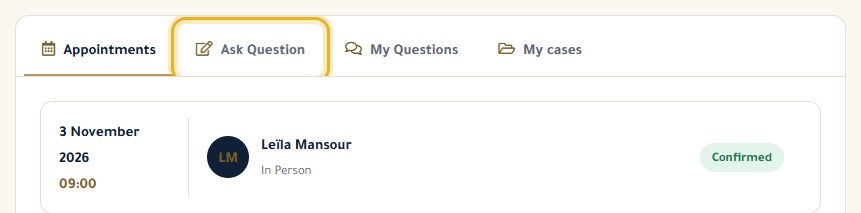
In your dashboard, open the “Ask Question” tab (or click “Ask a question” on the Legal Advice page).
Give it a short title and describe your situation, then click “Ask Question”.
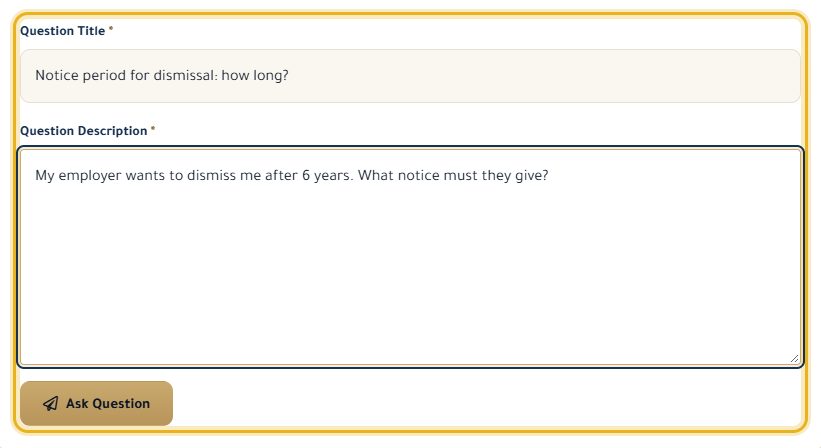
Your question is “Pending”: our team reviews it before publication. Follow it in “My Questions”.

Once it is published (“Accepted”), click its title: the lawyers' answers appear on the question's public page.
Good to know
- Don't include your name, a phone number or anything that could identify you: the question will be public.
- You get an email when your question is published (or not, with the reason).
Read next
- Browse questions and answers Read questions already asked and the answers from lawyers and our editorial team.
- Follow my cases See the cases your lawyer has opened for you, their dates and the notes they share.
Questions and cases
- Follow my cases See the cases your lawyer has opened for you, their dates and the notes they share.
Write to our team: we reply quickly. Contact us