
Follow my cases
See the cases your lawyer has opened for you, their dates and the notes they share.
For: Client
Steps
In your dashboard, open the “My cases” tab.
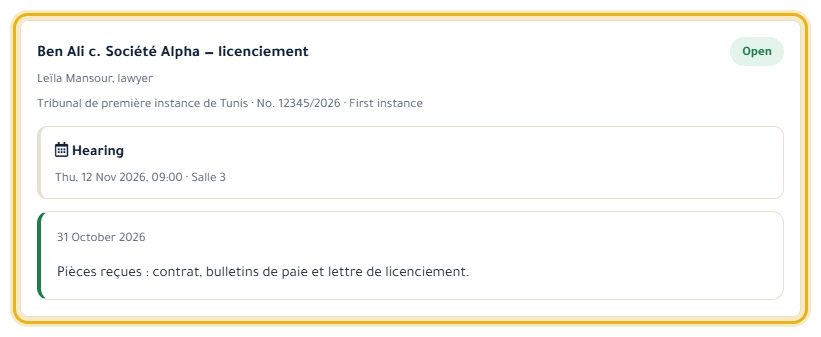
Each case shows the lawyer, the court, the stage and its status, with the dates and notes your lawyer has chosen to share.
Good to know
- You get an email the day before a shared date, and when your lawyer shares something new.
- Anything your lawyer doesn't share stays private.
Read next
- Follow and cancel my appointments Find your appointments, their status, and cancel a request.
Questions and cases
- Ask a legal question Send your question to the platform's lawyers and follow its publication.
Write to our team: we reply quickly. Contact us