
First steps on your lawyer dashboard
What your dashboard shows, the menu, and the settings to do first.
For: Lawyer
Steps
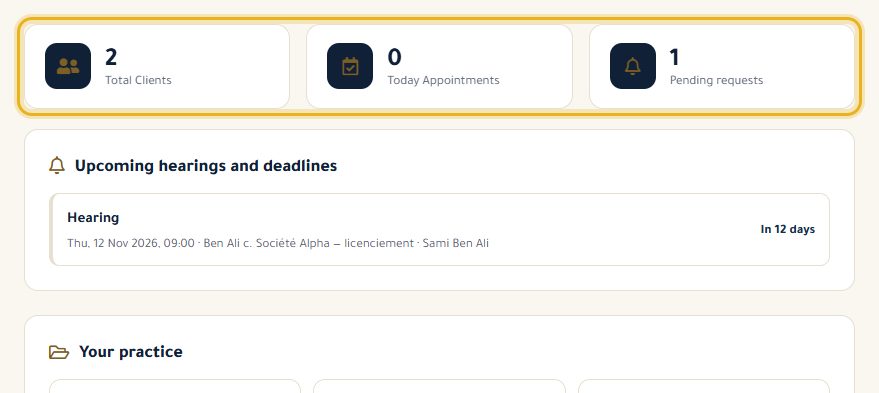
Log in: your lawyer dashboard opens. At the top, three figures: your clients, today's appointments and pending requests.
The left-hand menu leads to each feature. Items marked “Pro” open the Pro offer until you subscribe (or start a trial).
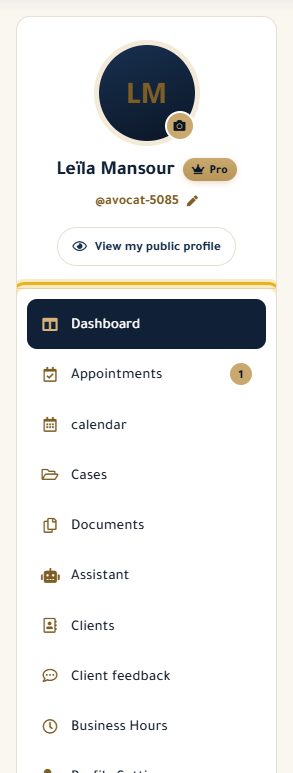
Click your photo to add or change it, then “View my public profile” to see your profile as your clients do.
Start by completing “Profile Settings”, then set your “Business Hours”: they decide which slots clients can book.
Good to know
- Without Pro, the statistics cards show sample figures, not yours.
- With Pro, choose a username under your name: your profile is then available at avoconsulte.com/your-name.
Read next
- Complete and edit my profile Address, phone, fax, introduction, services and education: what your clients see.
- Set my business hours The days and times you see clients, shown on your profile and used for online booking slots.
- Try Pro and subscribe What Pro unlocks, the 14-day free trial, the subscription and cancelling.
Getting started
- Complete and edit my profile Address, phone, fax, introduction, services and education: what your clients see.
- Set my business hours The days and times you see clients, shown on your profile and used for online booking slots.
Write to our team: we reply quickly. Contact us