
Change the language and switch to dark mode
The site is available in Arabic, French and English, in light or dark mode.
For: Visitor, Client, Lawyer
Steps
On a computer, click the globe at the top right and choose a language: you stay on the same page, in the other language.
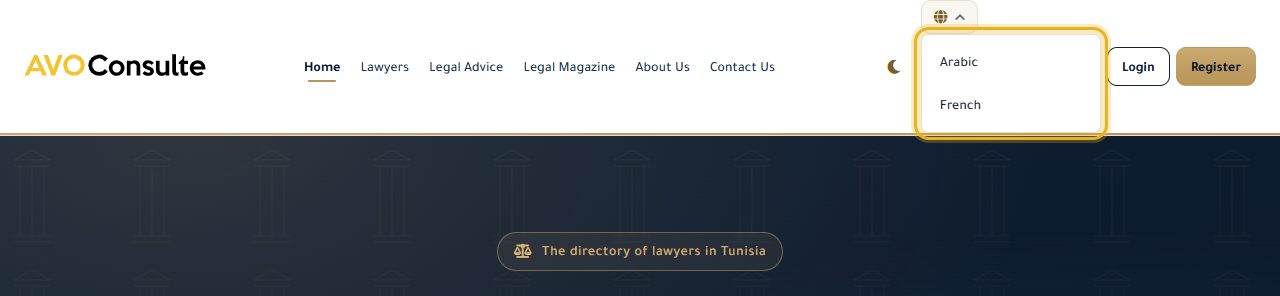
The moon (or sun) icon next to it switches the site to dark (or light) mode.
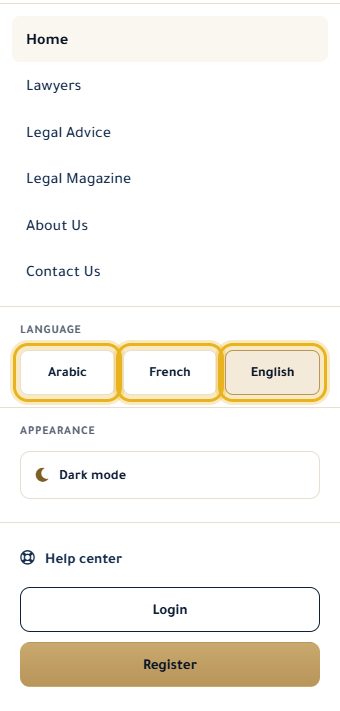
On mobile, open the menu (the three lines): the “Language” and “Appearance” sections are there.
Good to know
- Until you choose, the site follows your device's light/dark setting.
Read next
- Contact the AvoConsulte team A question about the site, a problem with your account: write to us.
Account and site
- Create an account and confirm your email Sign up for free, then activate your account with the link sent by email.
- Log in and recover your password Log in, and get a link to choose a new password if you have forgotten it.
- Contact the AvoConsulte team A question about the site, a problem with your account: write to us.
Write to our team: we reply quickly. Contact us