
Create an account and confirm your email
Sign up for free, then activate your account with the link sent by email.
For: Visitor
Steps
Click “Register” at the top right.

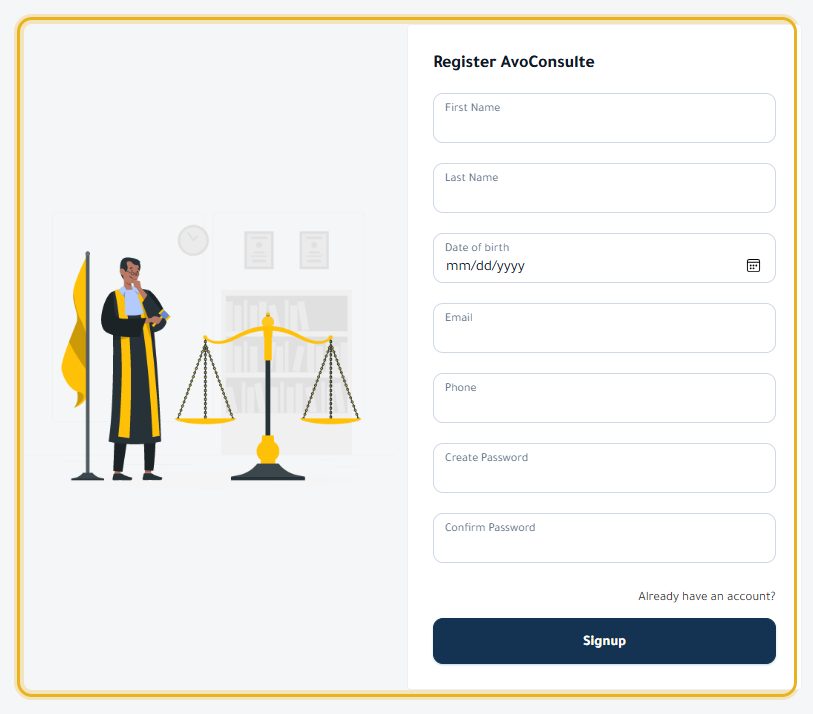
Fill in every field: first name, last name, date of birth, email, phone, then a password of at least 8 characters, twice. Click “Signup”.
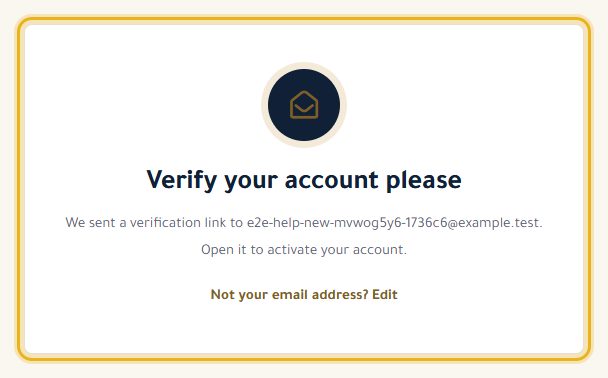
You are logged in and the “Verify your account please” screen appears: open the “Confirm your email address” email and click the link.
Your account is active: you are back on your dashboard.
Good to know
- A typo in your address? On the “Verify your account please” screen, click “Edit” to correct it: a new link is sent.
- No email? Check your spam folder.
- Are you a lawyer? Create this account first, then apply for a lawyer account from your dashboard.
Read next
- Log in and recover your password Log in, and get a link to choose a new password if you have forgotten it.
- Book an appointment with a lawyer Choose a free slot in the lawyer's calendar, at the office or by video.
Account and site
- Log in and recover your password Log in, and get a link to choose a new password if you have forgotten it.
- Change the language and switch to dark mode The site is available in Arabic, French and English, in light or dark mode.
- Contact the AvoConsulte team A question about the site, a problem with your account: write to us.
Write to our team: we reply quickly. Contact us