
Follow and cancel my appointments
Find your appointments, their status, and cancel a request.
For: Client
Steps
Open your dashboard (your first name at the top right, then “Dashboard”): the “Appointments” tab is shown.
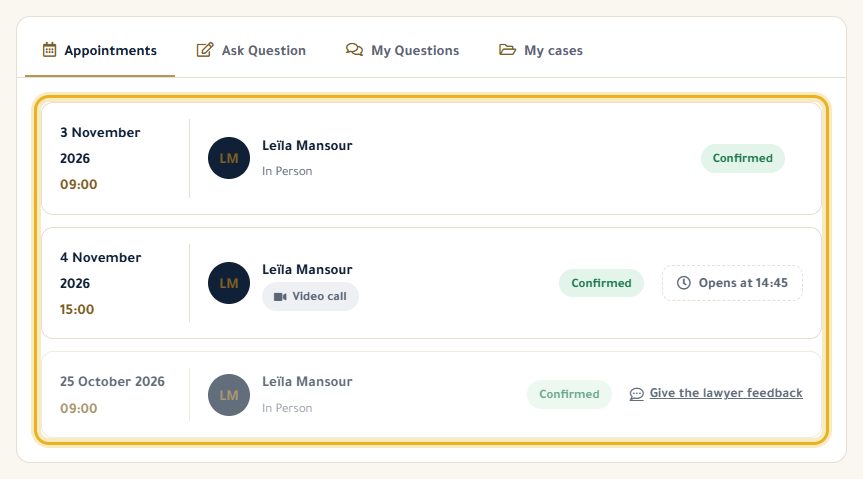
Each appointment shows the date, the lawyer, the type (in person or video) and its status: “Pending”, “Confirmed” or “Cancelled”.
To cancel a request that is still “Pending”, click “Cancel” and confirm. The lawyer is told and the slot is freed.
Good to know
- An appointment that is already confirmed can't be cancelled on the site: call the lawyer.
- Past appointments stay in the list, below the upcoming ones.
Read next
- Join a video consultation On the day of your appointment, join the video call from your dashboard.
- Give feedback after an appointment Rate the consultation and leave a note for your lawyer.
Appointments
- Book an appointment with a lawyer Choose a free slot in the lawyer's calendar, at the office or by video.
- Join a video consultation On the day of your appointment, join the video call from your dashboard.
- Give feedback after an appointment Rate the consultation and leave a note for your lawyer.
Write to our team: we reply quickly. Contact us