
Edit my profile, photo and email language
Update your details, your photo, the language of your emails and your password.
For: Client
Steps
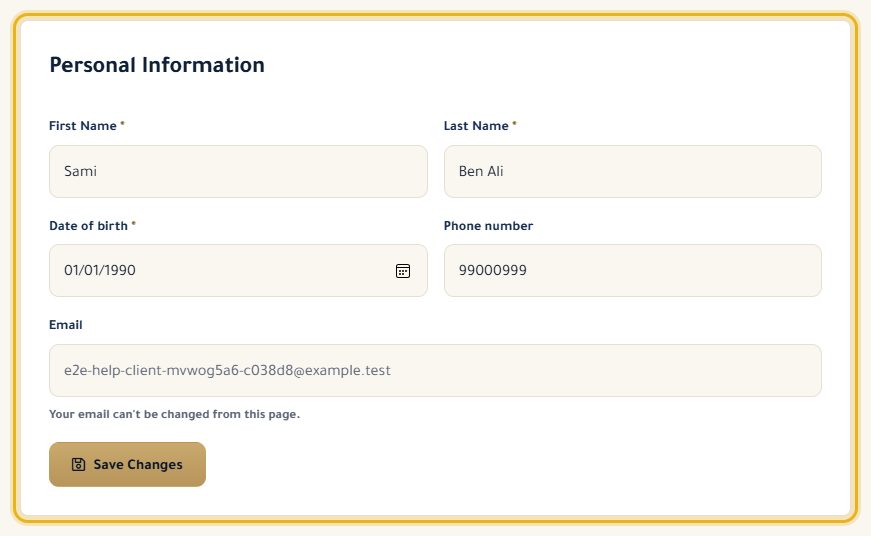
In your dashboard, open “Profile Settings”, change your details and click “Save Changes”.
For your photo, click the avatar in the left column and choose a JPG, PNG or WebP image.
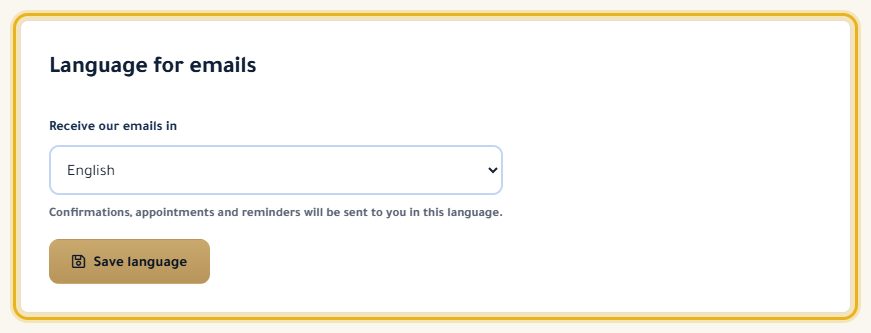
Further down, under “Language for emails”, choose the language of your confirmations and reminders, then “Save language”.
For your password: “Change Password”, enter the old one, then the new one twice (at least 8 characters).
Good to know
- You can't change your email address on this page: write to us if you need to.
Read next
- Log in and recover your password Log in, and get a link to choose a new password if you have forgotten it.
My account
- Apply for a lawyer account Turn your account into a lawyer account, once our team has checked it.
- Claim my profile in the directory You are a lawyer and your profile already exists? Link it to your account.
Write to our team: we reply quickly. Contact us