
My clients, including those outside the platform
Find your clients, add those without an account and keep a private memo.
For: Lawyer · Pro
Steps
Open “Clients”: the people who have booked with you and the clients you have added.
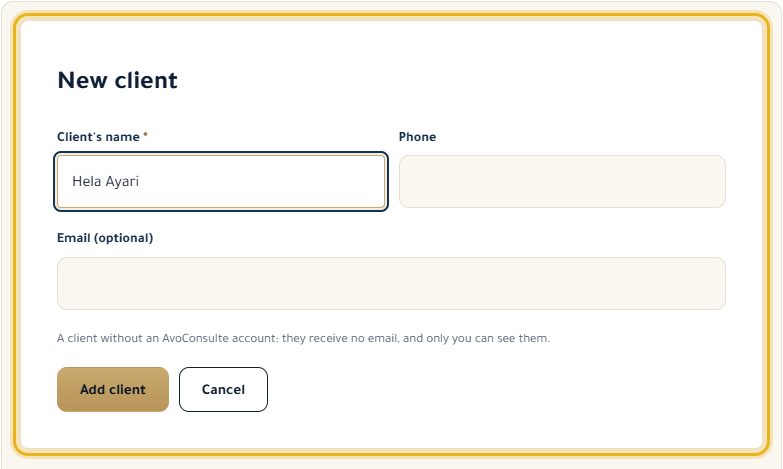
For a client without an account, click “New client”, enter their name (phone and email are optional), then “Add client”.
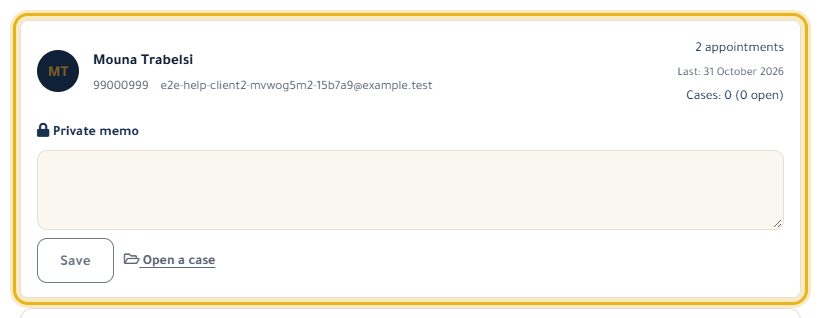
Write in “Private memo” and click “Save”: only you can see it.
“Open a case” creates a case already linked to this client.
Good to know
- A client outside the platform never gets any email.
- A client with cases can't be deleted: delete their cases first.
Read next
- Manage my cases Create a case, track its hearings and deadlines, take notes and keep track of fees.
- Add an appointment myself Put an appointment made by phone or at the office in your calendar, with a client on the platform or not.
Cases and clients
- Manage my cases Create a case, track its hearings and deadlines, take notes and keep track of fees.
- Read my clients' feedback The ratings and comments left after your consultations.
Write to our team: we reply quickly. Contact us